

Can a Business Remove a Fake Google Review?
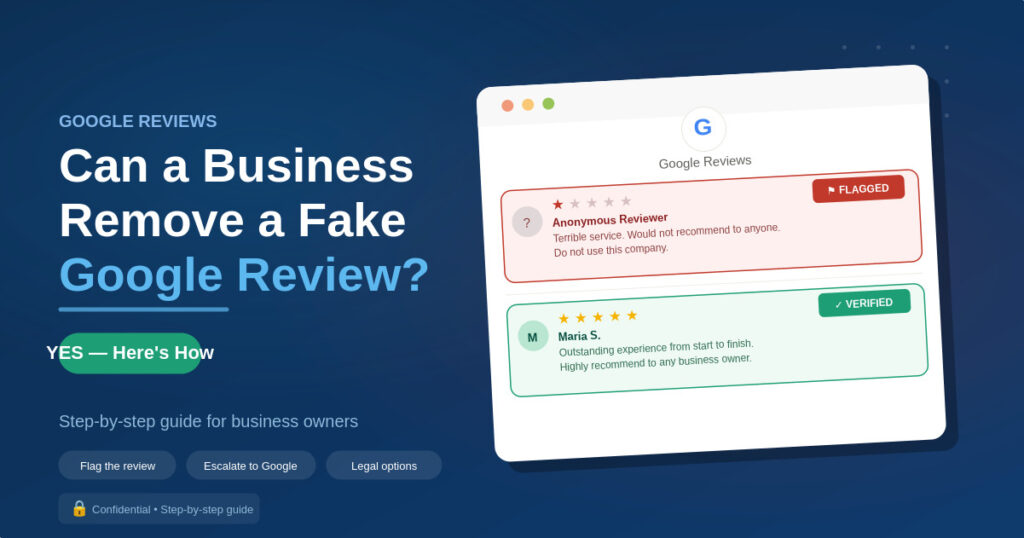
Can a Business Remove a Fake Google Review? (Yes, Here’s How)
| ✅ Quick answer:Yes, a business can request removal of a fake Google review, but only if the review violates Google’s content policies. Google does not remove reviews simply because a business owner disagrees with them or believes they’re unfair. The review must breach a specific policy, such as spam, fake content, conflict of interest, or inappropriate content, for a removal request to be considered. If approved, the review is permanently removed. If rejected, suppression or a professional response are the main remaining options. |
That’s the short answer. Here’s the full picture, including what qualifies as a policy violation, the exact steps to submit a removal request, what to do while you’re waiting, and what your options are if Google says no.
What Counts as a Fake or Policy-Violating Review
Google’s review policy is more specific than most business owners realise. A review being unfair, exaggerated, or written by someone who had a minor interaction with your business doesn’t automatically make it removable. What makes a review removable is whether it violates one of Google’s specific content policies.
Here are the categories Google recognises as policy violations, with what each one actually means in practice:
| Policy violation | What it means in practice |
|---|---|
| Spam or fake content | Reviewer never visited or used the business — they have no first-hand experience to review |
| Off-topic reviews | Review is about a different business, a third party, or a topic unrelated to the business itself |
| Restricted content | Review contains illegal content, hate speech, sexually explicit material, or threats |
| Conflict of interest | Review is from a business owner, employee, or competitor — or was clearly incentivised |
| Impersonation | Reviewer is pretending to be someone else, including the business owner |
| Advertising or promotional content | Review is clearly promotional rather than a genuine customer experience |
| Personal attacks | Review targets an individual rather than describing the business experience |
| False business information | Review falsely claims the business is closed, has changed ownership, or is fraudulent |
| What is NOT a ground for removal:A review being negative, harsh, or one-sided is not a policy violation. Neither is a review from a customer who had a genuinely bad experience, even if you dispute their account of events. Google’s policy is designed to remove fake and policy-violating content, not to arbitrate customer disputes. Understanding this upfront saves significant time and frustration. |
How to identify a likely fake review
Before flagging, it’s worth building your case. Hallmarks of a fake or policy-violating review include:
- Reviewer account was created very recently and has no other reviews
- Reviewer has left multiple 1-star reviews for similar businesses in a short time period (signs of a coordinated attack)
- Review contains no specific details about a transaction, product, or interaction, it’s vague or generic
- Review mentions a name, date, or service you have no record of in your customer database
- Review was posted immediately after a dispute with a competitor, ex-employee, or disgruntled ex-partner
- Multiple similar reviews appeared in a short window (potential bot or coordinated campaign)
Document these observations before submitting your flag, they’ll be useful if you need to escalate.
Step-by-Step: How to Flag a Fake Google Review for Removal
There are two main routes to flag a Google review: through Google Maps directly, or through Google Business Profile. Both routes trigger the same review process on Google’s end. Here’s how to do each.
Method 1: Flag via Google Maps (simplest route)
Step 1: Go to Google Maps and search for your business
Step 2: Find the review you want to flag
Step 3: Click the three dots (⋯) to the right of the reviewer’s name
Step 4: Select “Report review” from the dropdown
Step 5: Choose the most accurate policy violation from the options provided
Step 6: Submit — Google will review your report and email you with a decision
Method 2: Flag via Google Business Profile
Step 1: Sign in to business.google.com with the Google account that manages your business listing
Step 2: Click on your business listing to open the dashboard
Step 3: Navigate to the “Reviews” section from the left sidebar
Step 4: Find the review you want to report and click the three-dot menu (⋯) beside it
Step 5: Select “Report review” and choose the policy violation that applies
Step 6: Submit and wait — Google typically takes 3–14 business days to respond
Method 3: Use Google’s Business Redressal Form (for serious or coordinated attacks)
For cases involving coordinated fake review campaigns, clear evidence of inauthentic behaviour, or situations where the Maps/GBP flagging route hasn’t produced results, Google offers a dedicated Business Redressal Complaint Form at support.google.com/business/troubleshooter/2690129. This route allows you to provide more detail and documentation than the standard flag tool, and is often more effective for complex cases.
| 📋 Tips to improve your flagging success rate:Choose the most specific and accurate policy violation, not just ‘spam’. Generic flags are processed by algorithm; specific, well-matched policy categories are more likely to escalate to human review. If you have evidence (customer records, IP analysis, a screenshot of a competitor’s social media post), save it, you may need it if you escalate. |
What to Do While You Wait for Google’s Decision
Google’s review decision can take anywhere from 3 to 14 business days, and sometimes longer for escalated cases. During that window, the fake review is still live and visible to anyone searching your business. Here’s how to manage that period.
Respond to the review professionally
This is the single most important thing you can do while the removal is pending. Potential customers who see a 1-star review will also see your response — and a professional, measured reply demonstrates that you take feedback seriously and that the claim may not tell the full story.
Effective response guidelines for a suspected fake review:
- Keep it brief and professional. Don’t write a wall of text defending yourself — it looks defensive and draws more attention to the negative review
- Don’t accuse the reviewer of lying publicly. Even if you’re certain the review is fake, accusing someone publicly without proof can create additional legal and reputational risks
- State that you have no record of the interaction. This is factual and signals to readers that the review may not be genuine
- Invite them to contact you directly. This looks customer-focused to readers and creates a paper trail if the reviewer ignores it
Generate more genuine reviews to dilute the impact
A fake 1-star review carries far more weight in a profile with 12 total reviews than in one with 150. While the removal is being processed, a good use of time is proactively asking satisfied customers to leave a genuine review — through a direct link, an email follow-up, or an SMS request.
This doesn’t make the fake review disappear, but it reduces its proportional impact on your star rating and demonstrates to potential customers that the outlier review doesn’t represent the typical experience.
How to get more genuine reviews ethically — Business Review Management Service
What to Do if Google Won’t Remove the Review
Google declines the majority of removal requests, not because the review is necessarily genuine, but because the automated review process doesn’t have enough evidence to confirm a policy violation. If your request is rejected, you have several options.
Option 1: Appeal the decision
Google allows one appeal per removed/rejected review decision. If your initial flag was rejected, you can resubmit with additional detail or a different policy category that more accurately describes the violation. Appealing with more specific evidence, particularly for spam and fake content violations, gives a human reviewer the chance to look at the case more carefully.
Option 2: Escalate via Google Business Profile support
If standard flagging and appeal haven’t worked, contact Google Business Profile support directly at support.google.com/business. Explain that you’ve submitted a flag, it was rejected, and you have evidence the review is fake. Support agents have access to escalation pathways that the automated tool doesn’t.
Option 3: Suppress rather than remove
If removal isn’t achievable through any available channel, suppression is often the most practical solution. Suppression involves generating enough genuine positive reviews that the fake review’s proportional weight on your rating decreases, and pushing it down the visible review feed so it’s less prominent.
A fake 1-star review in a profile with 4.7 stars across 200 reviews is visible, but its practical impact is minimal. The same review in a profile with 4.0 stars across 15 reviews is a significant problem. Volume and recency of positive reviews are the most effective form of suppression.
Option 4: Report to the FTC
If you have evidence that a competitor is behind a coordinated fake review campaign, this may constitute unfair business practices under FTC regulations. You can file a complaint with the Federal Trade Commission at ftc.gov/complaint. While the FTC typically focuses on large-scale cases, documented evidence of a coordinated attack can support both the complaint and any subsequent legal action.
Option 5: Legal action
This is covered in detail in the next section, but in cases involving clear defamation with provable harm, legal action, or the credible threat of it, can be a faster route to removal than Google’s process.
When Google won’t act, professional review management can help — Business Review Management Service
Can You Sue Someone for Leaving a Fake Google Review?
Yes, in certain circumstances, a fake Google review can be grounds for a defamation lawsuit. This is a legitimate legal avenue that has been used successfully by businesses, and the threat of legal action alone is sometimes enough to prompt a reviewer to remove their own review. However, it’s not the right tool for every situation and comes with its own costs and risks.
When a fake review may constitute defamation
For a review to be legally actionable as defamation, it generally needs to meet all of these conditions:
- It contains a false statement of fact — not just an opinion. ‘This business is terrible’ is an opinion and typically not actionable. ‘This business defrauded me of $500’ is a statement of fact and may be actionable if false
- The statement was published — a Google review visible to anyone who searches your business clearly meets this requirement
- It caused actual harm — you can demonstrate that the review damaged your business (lost clients, reduced revenue, documented client decisions influenced by the review)
- The reviewer acted with at least negligence — they knew the statement was false, or had no reasonable basis for believing it was true
How legal action typically unfolds
Identify the reviewer — this often requires a John Doe subpoena to Google to reveal the reviewer’s identity if they’re posting anonymously. This itself requires court involvement
Send a cease and desist — a formal legal letter demanding the reviewer remove the content and refrain from further defamatory statements. This resolves many cases without court action
File a defamation claim — if the cease and desist is ignored, you can file in your jurisdiction’s appropriate court. Small claims courts can handle lower-value cases; larger harm claims may require civil court
Court-ordered removal — if you win the case (or the reviewer defaults), a court can order the review removed. Google typically complies with court orders
| Practical considerations before pursuing legal action:Legal action is time-consuming, expensive, and not guaranteed to succeed. For a single 1-star review from an unknown poster, the cost of litigation almost always outweighs the benefit. Legal action makes more sense when: (a) the review contains clearly identifiable false statements of fact, (b) you can demonstrate measurable harm, (c) the reviewer is identifiable or connected to a competitor you can trace, or (d) you’re dealing with a coordinated campaign rather than a single review. |
If you’re considering legal action over a fake review, consult a defamation attorney in your state before spending money on anything else. Many offer a free initial consultation and can give you an honest assessment of whether your case is worth pursuing.
The Bottom Line
Yes, a business can remove a fake Google review, but the process isn’t automatic, and success depends on whether the review genuinely violates one of Google’s specific content policies. The steps are: identify the violation category, flag through Google Maps or Google Business Profile, respond professionally while you wait, and escalate if the initial request is rejected.
If Google won’t remove it, suppression, diluting the review’s impact with genuine positive reviews, is the most practical and immediately actionable response. Legal action is available in cases of clear defamation, but is best reserved for situations where the harm is significant and demonstrable.
Want the whole fake review process handled for you, from flagging through to professional responses and genuine review generation? Our Business Review Management Service covers all of it.
