
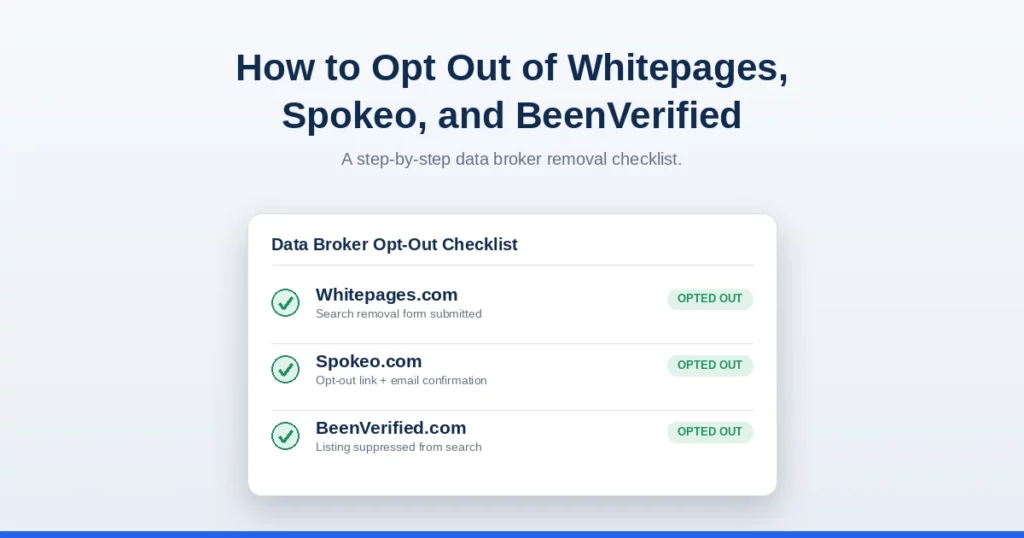
How to Opt Out of Whitepages, Spokeo, and BeenVerified (Step-by-Step)
If you’ve ever searched your own name online, you may have found your address, phone number, age, relatives, or even your income range listed on a website you never signed up for. These are called data broker sites, and they collect and sell your personal information without asking you first.
This information doesn’t come out of thin air. Data brokers gather details from public records like voter registrations and property deeds, from social media, from surveys and warranty cards you may have filled out, and from other data brokers who already have your information. Once collected, this data is packaged into a profile and made searchable, often for a small fee, to anyone who looks you up.
The good news is that most of these sites let you request removal, also called “opting out.” Below are exact steps for the most common sites, plus what to do if the information keeps coming back.
How to Opt Out of Whitepages
Whitepages is one of the largest and oldest people-search sites, so it’s a good place to start.
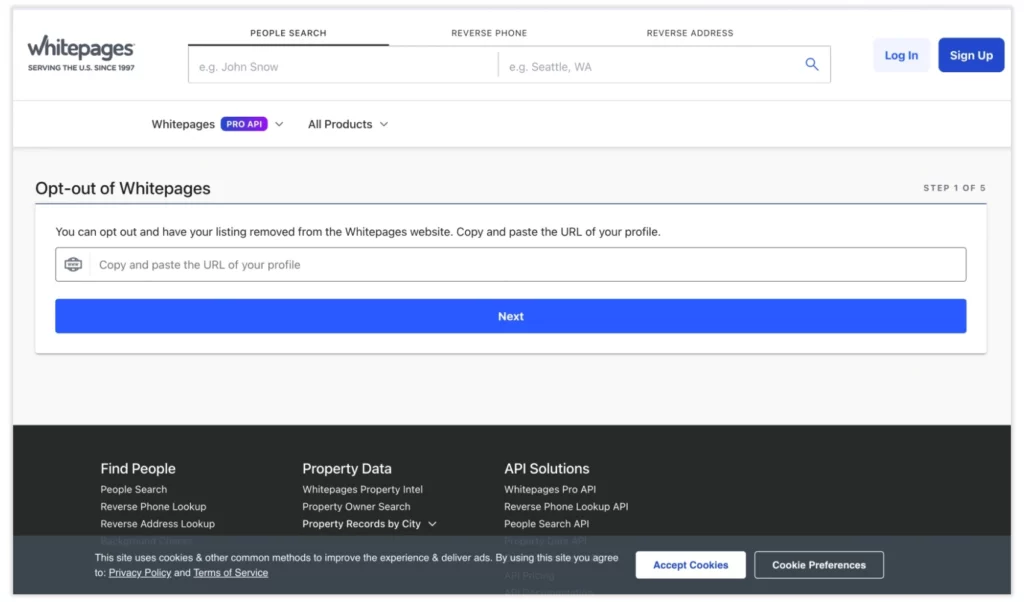
Step 1: Find your listing. Go to whitepages.com and search your name and state. Click on the listing that matches you.
Step 2: Copy the URL. Once you’re on your profile page, copy the web address from the browser bar. You’ll need this in the next step.
Step 3: Go to the opt-out page. Visit whitepages.com/suppression-requests. This is Whitepages’ official removal page, separate from the main site.
Step 4: Paste your profile URL. Paste the link you copied earlier into the box provided, then click “Continue” or “Search.”
Step 5: Confirm and submit. Whitepages will show your listing again and ask you to confirm it’s your profile. Click “Remove me,” then follow the prompt to confirm you’re not a robot.
Step 6: Wait for processing. Removal is usually completed within 24 to 48 hours, though it can occasionally take longer.
How to Opt Out of Spokeo
Spokeo pulls information from public records, social media, and other data brokers, so your profile there can be quite detailed.
Step 1: Find your listing. Go to spokeo.com and search your name. You can narrow the search by adding your city or state.
Step 2: Open your profile. Click on the result that matches you to open the full profile page.
Step 3: Copy the profile URL. Copy the web address of that specific profile page from your browser’s address bar.
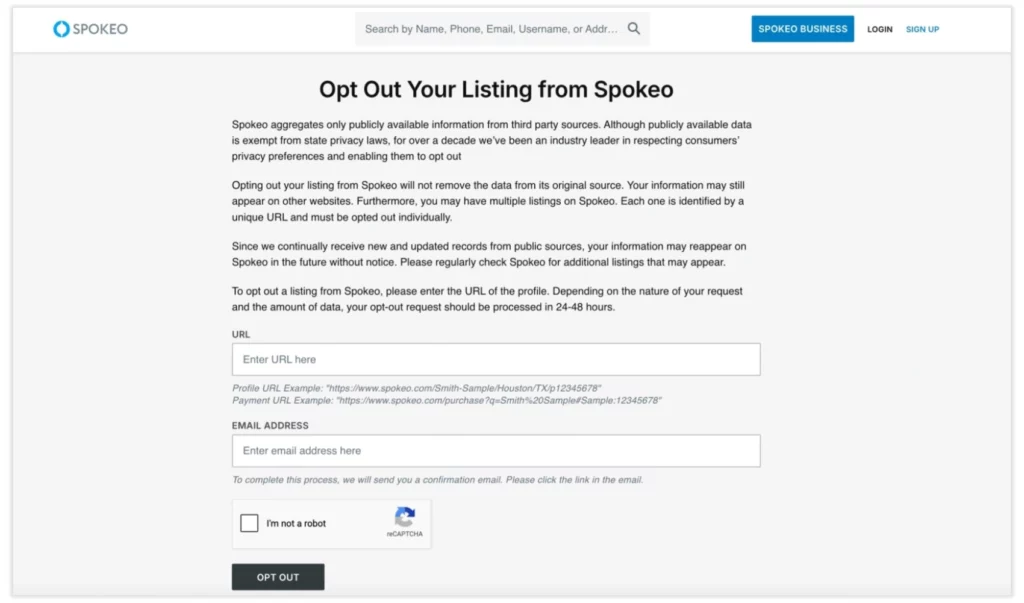
Step 4: Visit the opt-out page. Go to spokeo.com/optout. This is a separate page from the main search site.
Step 5: Paste your URL and submit. Paste your profile link into the box, then click “Remove this listing.”
Step 6: Confirm by email. Spokeo will send a confirmation email to verify the request. Open the email and click the confirmation link to finish the process.
Step 7: Wait for removal. Spokeo typically removes listings within a few days after you confirm.
How to Opt Out of BeenVerified
BeenVerified is a background check style site that often shows more detailed records, including past addresses and possible relatives.
Step 1: Find your listing. Go to beenverified.com and use the search bar to look up your name.
Step 2: Locate your profile. Since BeenVerified often has multiple similar names, look carefully for the listing with your correct age range and location.
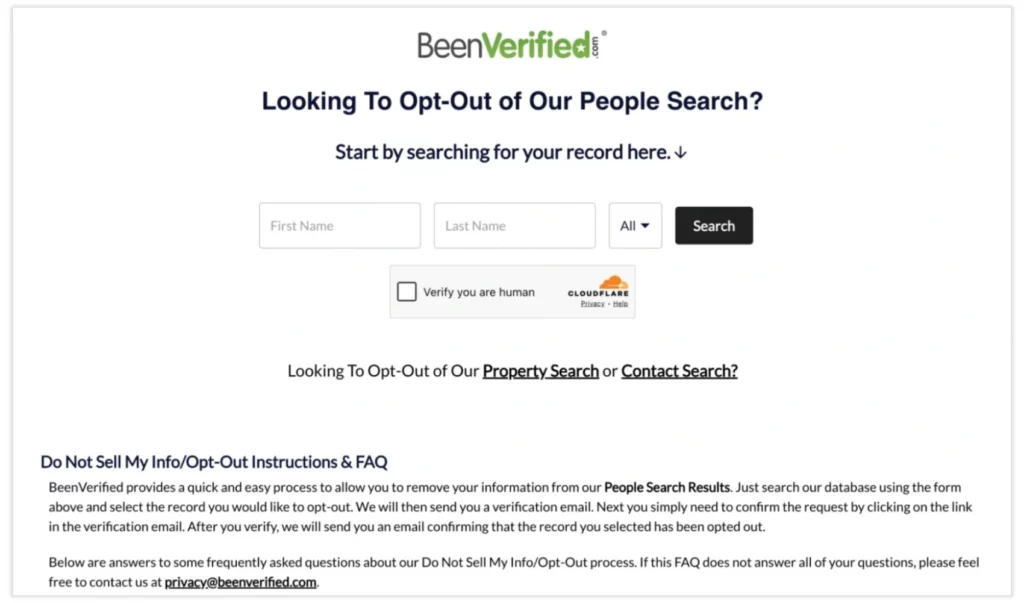
Step 3: Go to the opt-out page. Visit beenverified.com/app/optout/search. This is separate from the paid search results.
Step 4: Search again on the opt-out page. Enter your first name, last name, and state to find your record within their opt-out tool.
Step 5: Select your record. Click on the listing that matches you.
Step 6: Enter your email and submit. You’ll need to provide an email address so BeenVerified can send you a confirmation link.
Step 7: Confirm by email. Check your inbox for a message from BeenVerified and click the confirmation link to complete the removal.
How to Opt Out of Intelius, FastPeopleSearch, and MyLife
These three sites work a little differently from each other, but here’s a quick rundown for each.
Intelius: Go to intelius.com/opt-out. Search for your listing using your name and state, select the correct profile, and submit the removal request. You’ll usually need to confirm through an email link, similar to Spokeo and BeenVerified.
FastPeopleSearch: Go to fastpeoplesearch.com/removal. Search for your listing, then click the “This is me” or removal link next to the correct profile. Confirm your phone number or email if asked, and the listing is usually removed within 48 hours.
MyLife: MyLife is known for being harder to fully remove from. Go to mylife.com and search your name to find your profile. Then visit their opt-out request page and follow the prompts. Because MyLife sometimes requires a phone call or additional verification, this one can take longer than the others, sometimes up to a couple of weeks.
A few tips that apply across all three of these sites: always use the official opt-out page rather than trying to email customer support directly, since the dedicated removal tools are built to process requests faster.
Take a screenshot of your submitted request when possible, in case you need to follow up. And if a site asks you to create an account just to remove your own listing, that’s a normal part of some of these processes, not a scam, though you can typically use a secondary email address if you’d rather not share your main one.
Why Opt-Outs Expire and Re-Aggregation Happens
Here’s something most people don’t realize until it happens to them: opting out once doesn’t mean you’re done forever. There are two reasons for this.
First, opt-outs can expire. Some sites only guarantee removal for a certain period of time, often six months to a year, after which your listing can reappear if new data comes in.
Second, and more commonly, “re-aggregation” happens. Data brokers constantly buy and sell information from each other, as well as from public records like voter registrations, property records, and court filings. Even if you’re removed from one site today, that same site might pull your information again a few months later from a different source. This is why so many people find themselves opting out of the same site more than once.
Because of this cycle, opting out isn’t usually a one-time task. It’s more like ongoing maintenance, similar to changing the air filter in your home. Most people who want to stay off these sites long-term check back every few months to see if their information has reappeared.
Professional Data Removal as the Permanent Solution
If keeping up with dozens of data broker sites feels overwhelming, and it usually is, you’re not alone. There are hundreds of these sites, not just the five covered here, and each one has its own process, timeline, and quirks.
This is where a professional data removal service can help. These services monitor data broker sites on an ongoing basis, submit and resubmit opt-out requests automatically when your information reappears, and typically cover a much wider list of sites than most people would ever have time to handle manually.
For most people, this trade-off comes down to time versus money. Doing it yourself is free, but it takes real effort to track dozens of sites and check back regularly. A professional service costs money, but it removes that ongoing burden and tends to catch reappearances faster than most people would on their own.
If you’ve already spent time manually opting out and are tired of seeing your information pop back up, a professional service is worth considering, especially if you’re dealing with a specific safety concern, like an ex-partner, stalker, or harassment situation, where speed and consistency matter more than saving time.
When comparing services, look for a few key things: how many data broker sites they actually cover, how often they re-scan for reappeared listings, and whether they send you regular reports so you can see what’s been removed.
Some services cover 20 or so major sites, while others cover well over 100, which matters a lot given how many data brokers exist. Pricing is usually a monthly or annual subscription, so it’s worth weighing the cost against how much manual time you’d otherwise spend checking these sites yourself every few months.
Final Thoughts
Opting out of Whitepages, Spokeo, and BeenVerified only takes a few minutes each, and the steps above should get your listings removed within a few days. Just remember that this isn’t a one-and-done task. Data brokers pull from constantly updating sources, so checking back periodically, or using a professional service to handle it for you, is the only way to keep your information off these sites for good.
To learn more about protecting your personal information online, check out our full guide on Personal Data & Privacy Removal, where we cover the bigger picture of managing your digital footprint. You can also revisit our Personal Data Removal services for a broader list of data broker sites worth monitoring.